
Implementing Cloudflare R2 Storage in Directus: A How-To Guide
In today's fast-paced digital world, efficient asset management is crucial for any web application. Directus, a powerful open-source headless CMS, offers flexibility and scalability. However, integrating a robust storage solution can elevate its performance to the next level. That's where Cloudflare R2 comes in.
Why Cloudflare R2?
Cloudflare R2 is a distributed object storage service that offers several key advantages:
-
Cost-Effective Storage: R2 eliminates egress fees, making it significantly cheaper than traditional cloud storage options.
-
Global Performance: Leveraging Cloudflare's global network, R2 ensures fast and reliable asset delivery to users worldwide.
-
Seamless Integration: R2 integrates seamlessly with existing Cloudflare services, providing a unified platform for content delivery.
-
S3 Compatibility: R2's S3 compatibility simplifies integration with various applications, including Directus.
Integrating Cloudflare R2 with Directus
Integrating Cloudflare R2 with Directus involves configuring the Directus storage adapter to use the R2 bucket. Here's a step-by-step guide:
1. Create an R2 Bucket:
-
Log in to your Cloudflare dashboard.
-
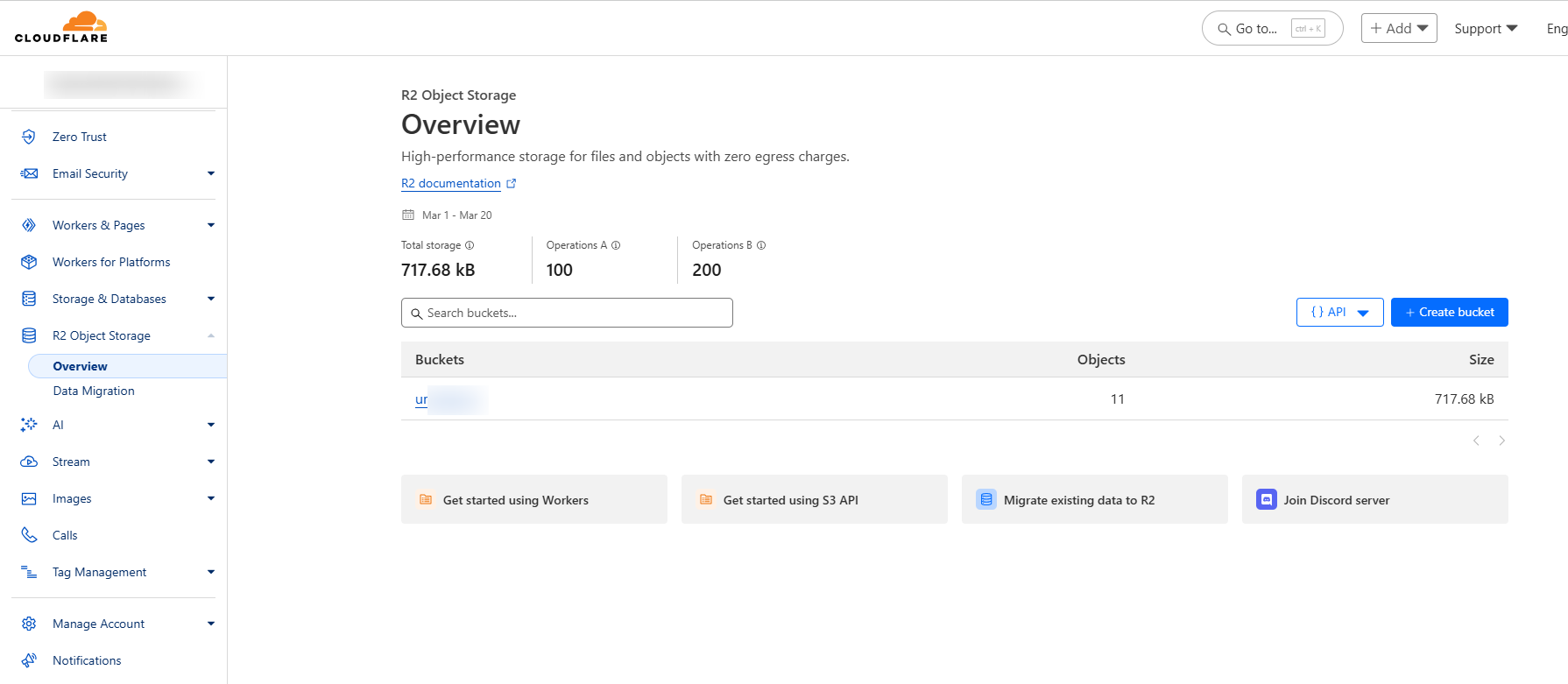
Navigate to R2 and create a new bucket.
-
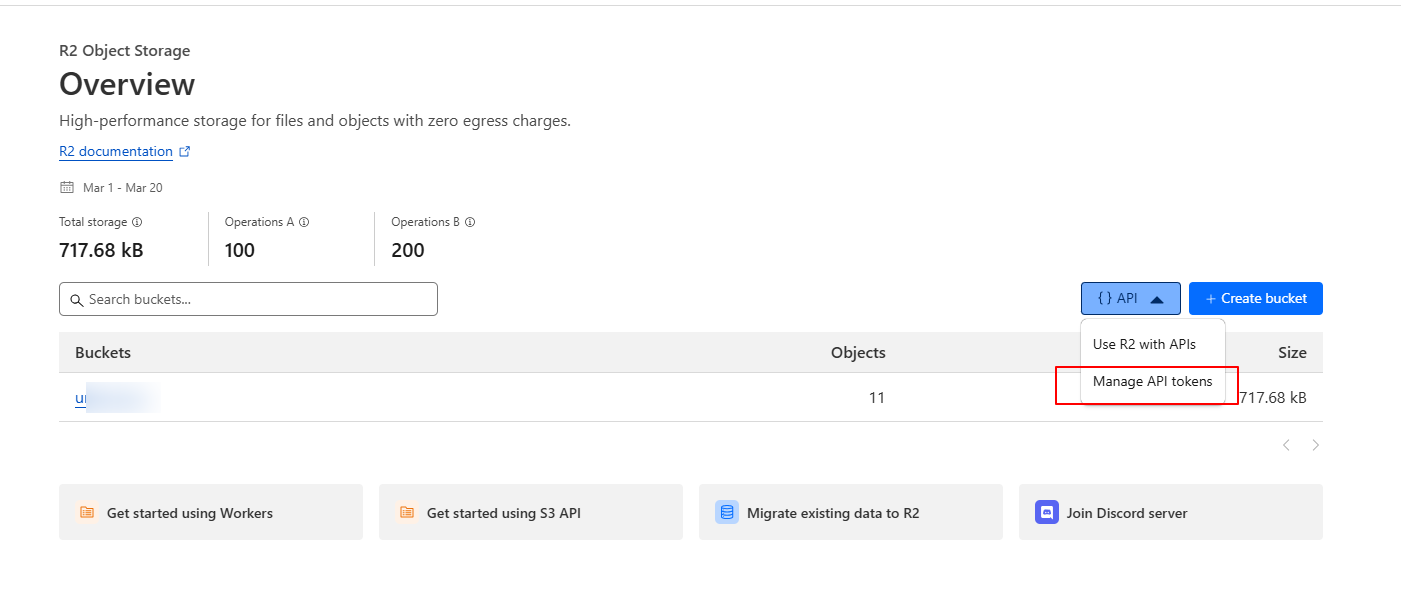
Generate an API token with appropriate permissions for your bucket. Click “API” and then “Manage API Tokens”
-
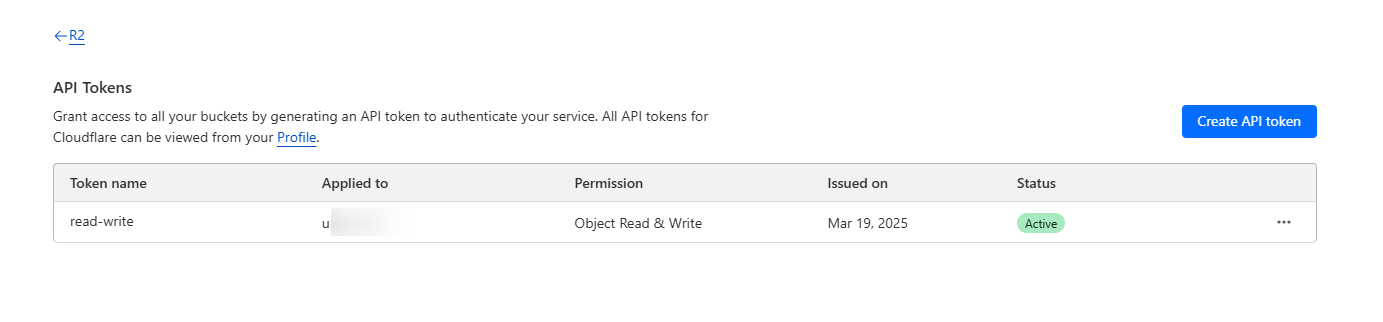
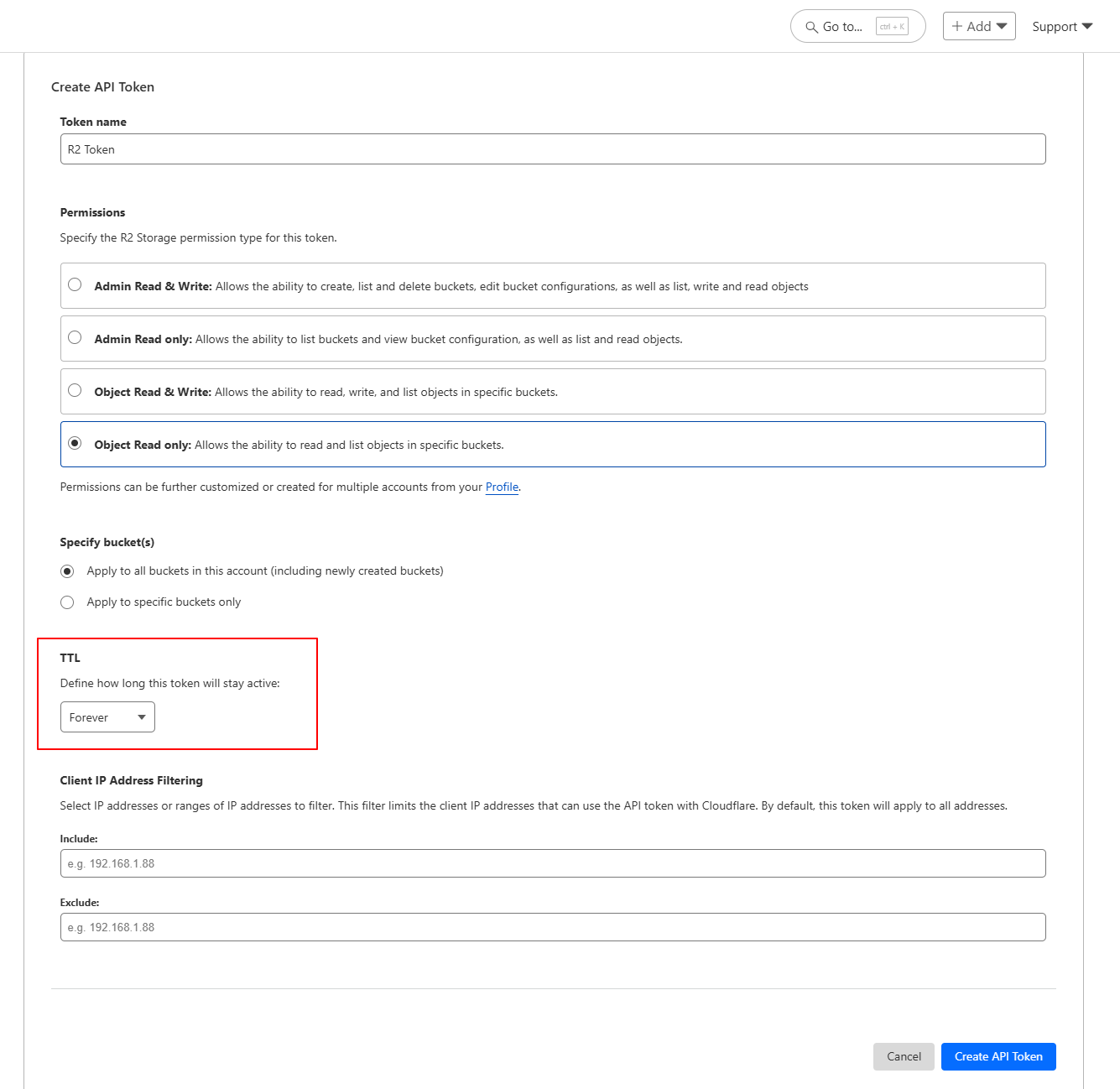
Then Click “Create API token”
-
In this form you can select permissions and TTL. You can choose TTL to ‘Forever’ if you’re using this in a application and don’t want to change it frequently. Also you can choose from buckets to which this token will be applicable.
-
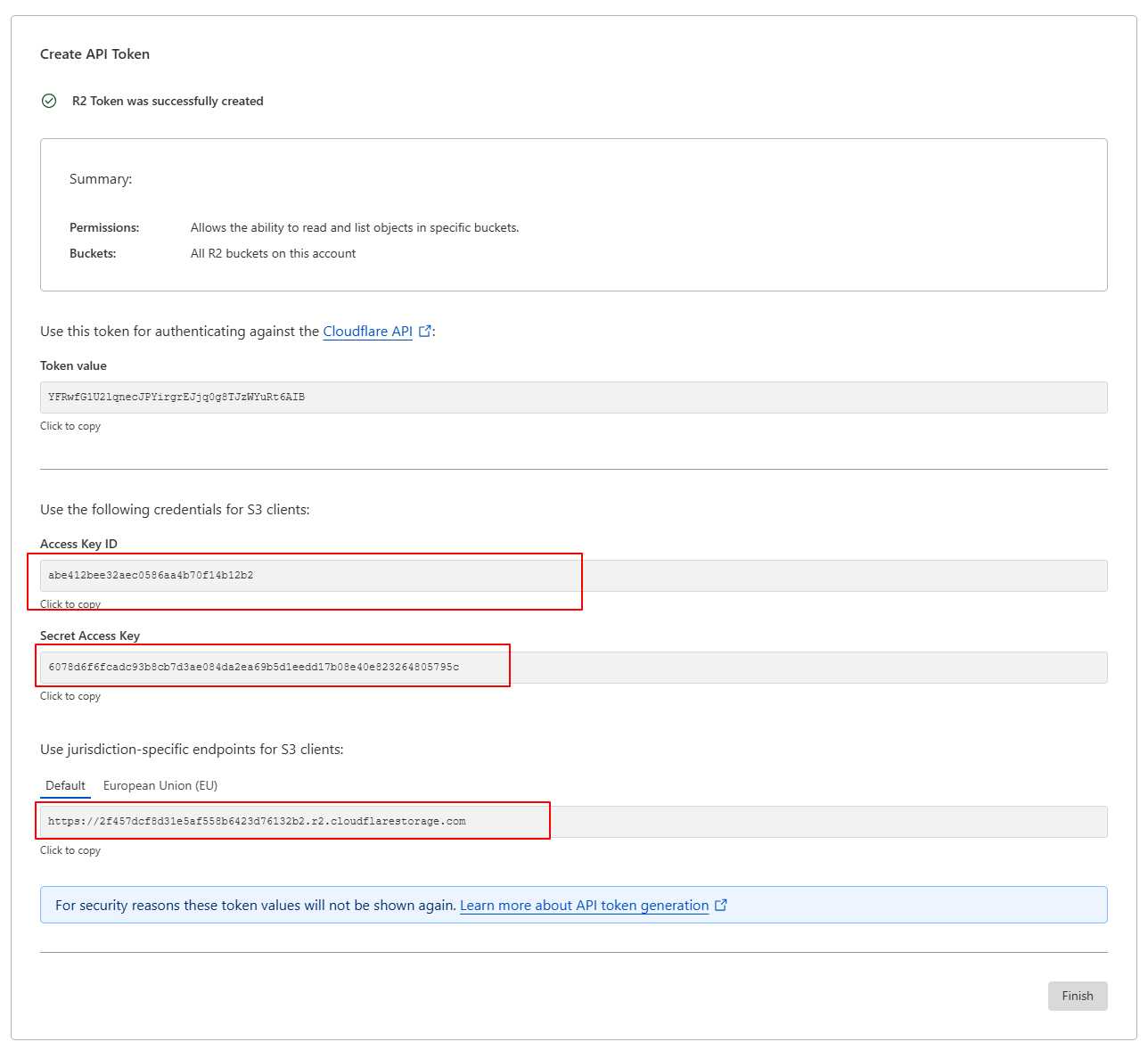
Then you will be redirected to a new page. Copy “Access Key ID”, “Secret Access Key” and “endpoint”. Check the screenshot below. Obviously my credentials from the screenshot won’t work as those are deleted by this time you’re reading this blog post.
2. Configure Directus Storage:
-
Install the
@directus/storage-driver-s3package: (This step won’t be necessary for most of you, I have tried it on 11.5.1 and it worked without installing any package.)npm install @directus/storage-driver-s3 -
Create or modify your
.envfile with the following configuration:
# Cloudflare R2 Configuration
STORAGE_LOCATIONS=s3
STORAGE_DRIVER=s3
STORAGE_S3_ENDPOINT=<YOUR_ENDPOINT_URL>
STORAGE_S3_REGION=auto
STORAGE_S3_BUCKET=<YOUR_BUCKET_NAME>
STORAGE_S3_KEY=<YOUR_ACCESS_KEY_ID>
STORAGE_S3_SECRET=<YOUR_SECRET_ACCESS_KEY>
STORAGE_S3_FORCE_PATH_STYLE=true
STORAGE_S3_ACL=public-read
-
Important: Replace the placeholder values with your actual R2 endpoint, bucket name, API Access key ID, and Secret Access key from the previous step.
-
Important: Replace the placeholder values
-
Comment below lines in your .env file by putting
#sign like below.
#STORAGE_LOCATIONS="local"
#STORAGE_LOCAL_DRIVER="local"
#STORAGE_LOCAL_ROOT="./uploads"
- Restart your Directus instance to apply the changes.
3. Test the Integration:
-
Upload an asset through the Directus admin panel.
-
Verify that the asset is successfully stored in your R2 bucket.
-
Verify that the asset can be accessed through your website or API.
Benefits of Using Cloudflare R2 with Directus
-
Improved Performance: Faster asset delivery translates to a better user experience.
-
Reduced Costs: Elimination of egress fees significantly lowers storage costs.
-
Enhanced Scalability: R2's distributed architecture ensures scalability for growing applications.
-
Simplified Management: Centralized asset management within the Cloudflare ecosystem.
-
Enhanced CDN capabilities: Cloudflare's powerful CDN caching further improves asset delivery.
SEO Best Practices
-
Use descriptive file names for your assets.
-
Optimize images for web performance.
-
Implement proper caching strategies.
-
Use alt text on images.
-
Ensure your website is mobile-friendly.
Conclusion
Integrating Cloudflare R2 with Directus is a smart move for anyone looking to optimize asset management, reduce costs, and improve performance. By leveraging R2's global network and cost-effective pricing, you can supercharge your Directus application and deliver a seamless user experience.
By following these steps, you can harness the power of Cloudflare R2 and Directus to create a high-performance, cost-effective content management system.
Need Custom Development? Get Expert Help! 🚀
Facing complex tech challenges? Our expert developers can build, optimize, and scale your solution. Whether it's custom software, backend architecture, API integrations, or performance tuning, we have you covered.
👉 Let’s build something amazing together! Get in touch


Ghanshyam Digital
33 posts published
A Software Company delivering Softwares, Web Applications, Mobile Applications using latest technologies.
Subscribe to the newsletter
Get new posts delivered to your inbox.
More from this blog


 Let's talk about your project!